iSilo: Compact Windows reader for large offline reference libraries
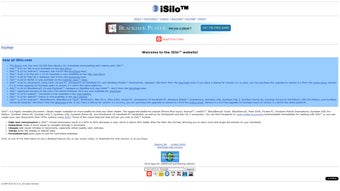
iSilo, developed by DC amp Co., is a document reader designed to carry large offline reference libraries for professionals and students. The app displays richly formatted documents with hyperlinked navigation, images, and tables while using its proprietary compression to reduce storage needs for extensive collections. Its toolset includes full-text search, bookmarks, customizable font and theme options, plus password and expiration controls. Intended for researchers, clinicians, and legal professionals, it offers portable access to large eBook and reference sets on Windows desktop environments.
iSilo targets dense offline reference collections
iSilo is a document reader that focuses on storing and viewing large libraries with minimal disk usage by using its proprietary format and reported compression ratios of 50% to 60%. The tool displays hyperlinked documents, images, and tables, which supports eBook and reference output where page layout and inline graphics matter. This focus makes it suitable for professionals who need extensive material available without online access rather than simple single-file reading.
Conversion-first workflows use a desktop pipeline
Document preparation uses iSiloX as the primary pipeline: web pages, HTML, and local text convert into the iSilo format before reading. The app opens native iSilo 2.x–4.x, Palm Doc, and plain text, while HTML and other formats require conversion. Reading sessions rely on navigation tools such as bookmarks, jump history, and full-text search, so collection builders treat conversion as an explicit preprocessing step rather than a background import.
Compatibility choices prioritize compact archives over native modern formats
The app does not open PDF files directly; users convert PDF content to HTML or text and run it through iSiloX, which creates an extra preparation stage for PDFs. Each platform is licensed separately, so cross-platform sharing happens through exported iSilo files rather than a transferable single license. Windows compatibility spans older desktop releases, which helps migrating legacy libraries onto standard business PCs.
Small footprint and long-term archive handling appeal to legacy users
The Windows installer uses about 5MB of hard-disk space, and libraries gain storage density by the app's compression, which suits archival packs and portable reference sets. Long-term users report reliable handling of legacy documents and compatibility with collections created many years ago. Recent feedback notes efficiency is a strength, while interface and modern mobile compatibility appear dated compared with contemporary ePub and PDF readers.
The app suits archivists and solo researchers who curate libraries
The app is a practical option for archivists, researchers, and clinicians who maintain curated offline document libraries and prefer stable desktop reading environments. It favors workflows that accept a short preparation phase before distribution, and it is less appropriate for teams that need native, cross-device document interchange without preprocessing. Choose the app when storage efficiency and long-term archive fidelity are higher priorities than instant format compatibility.